The essentials at a glance
About Librariness
Short (1 sentence):
Librariness is a file organization app for Windows that automatically classifies and structures files from local folders, Google Drive, OneDrive, and Box — without ever moving, copying, or uploading them.
Standard (2 paragraphs):
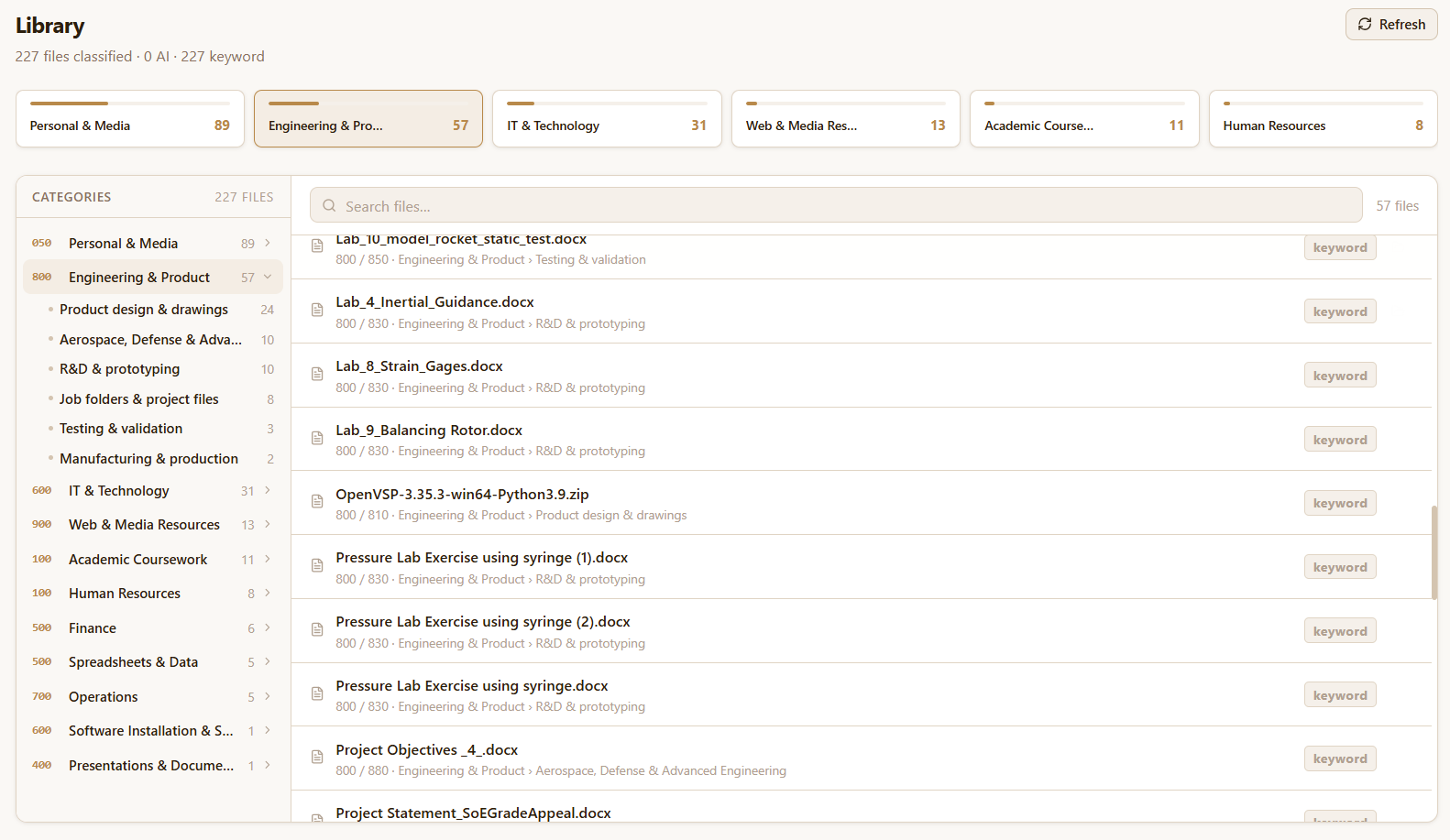
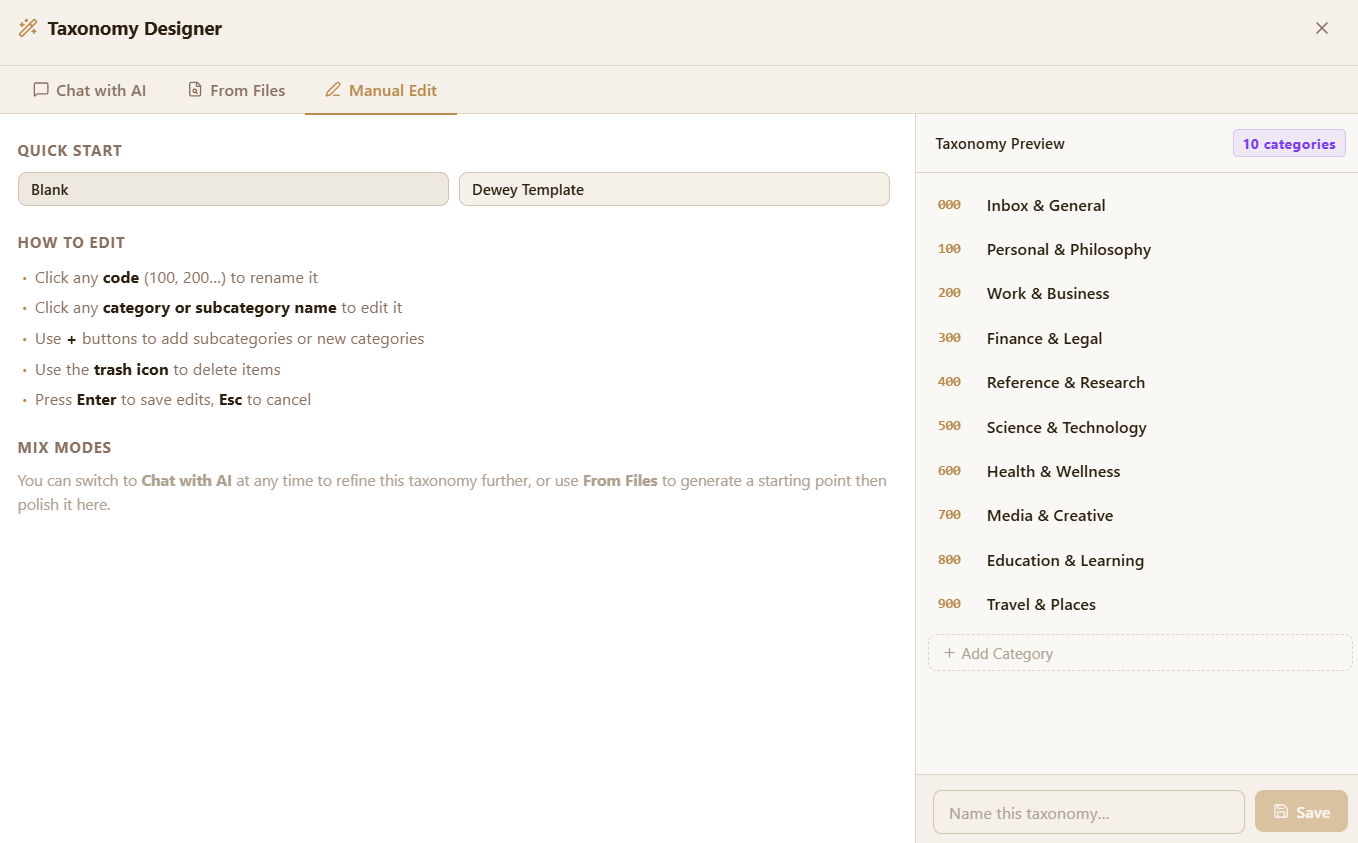
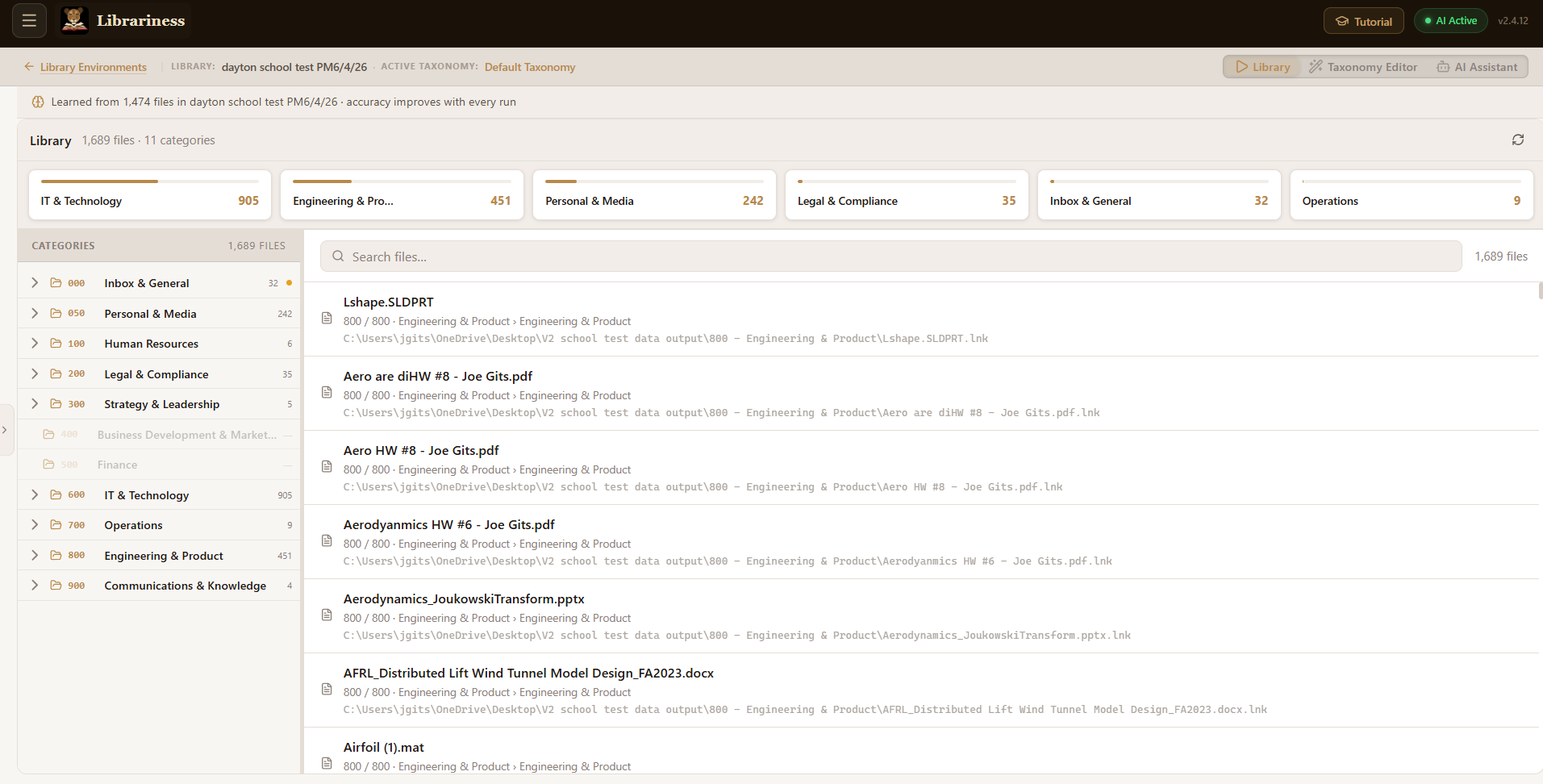
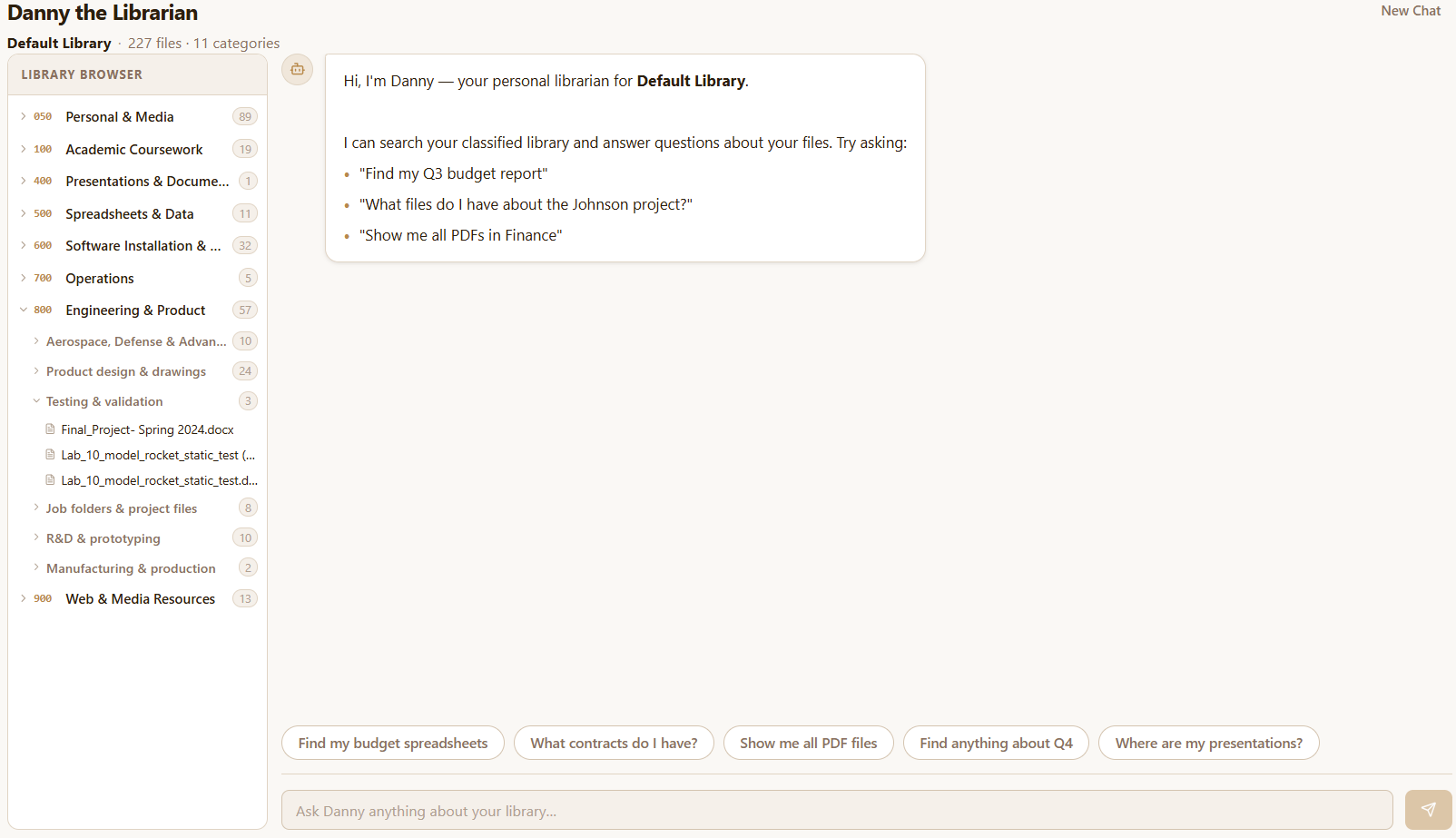
Librariness is a file organization app that automatically classifies and structures your files into a clean, searchable library — across local folders, Google Drive, OneDrive, and Box. Inspired by the Dewey Decimal System, Librariness uses its own proprietary classification engine to read file names and content and place everything in the right folder, with no manual sorting or rules to write. The app is currently in public beta and free to download for Windows.
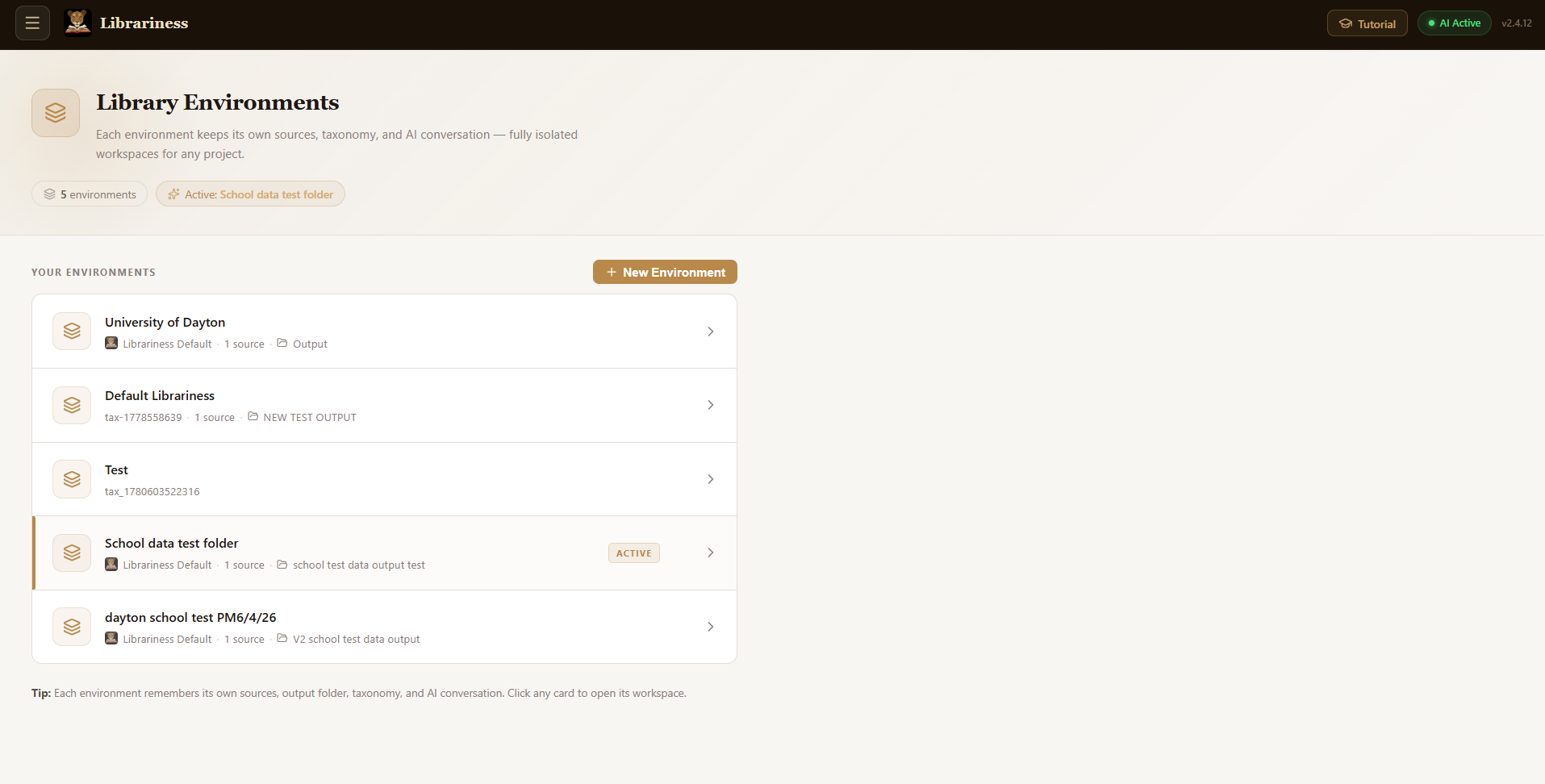
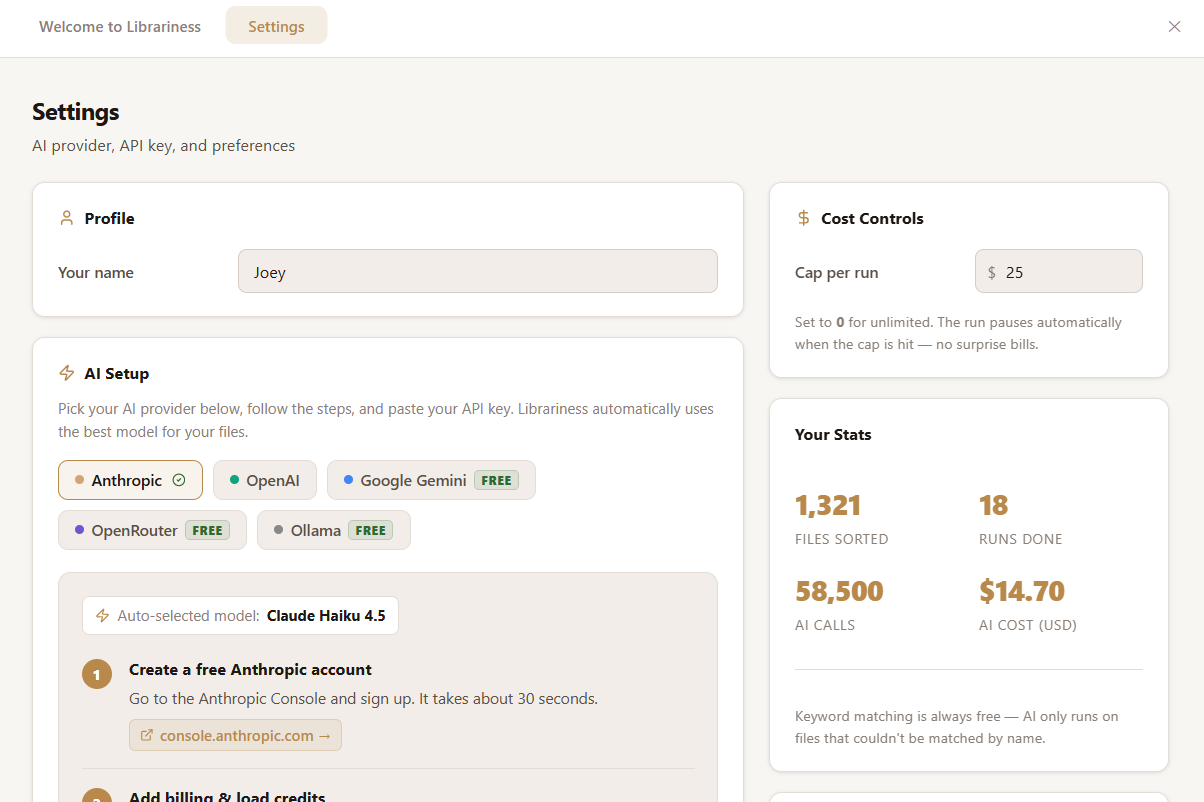
Built for individuals, teams, and enterprises who have lost control of their digital files, Librariness runs entirely on your machine. Your files never leave your computer — no Librariness server ever sees your data, your folder names, or your file contents. For borderline edge cases, users can optionally connect an AI provider of their choice (Anthropic, Google Gemini, OpenAI, or OpenRouter) — all processing goes directly from the user's device to that provider. Beta testers receive free Claude access built in, no setup required.
Preferred tagline: "Your Files, Finally Organized." | Second option: "From chaos to clarity — automatically."
Logos

Logo usage guidelines: Do not stretch, recolor, or add effects to the logo. Always maintain clear space equal to the height of the "L" on all sides. Do not place the logo on backgrounds that create insufficient contrast.
App Screenshots
Color Palette
Primary font: Playfair Display (headings) | Body font: Inter | Both available free on Google Fonts.
Get in touch with our team
We're happy to provide interviews, demo walkthroughs, or additional assets on request. Email us at admin@librariness.com with your publication name and deadline and we'll get back to you fast.